 mobide
Real Vim.
A native editor.
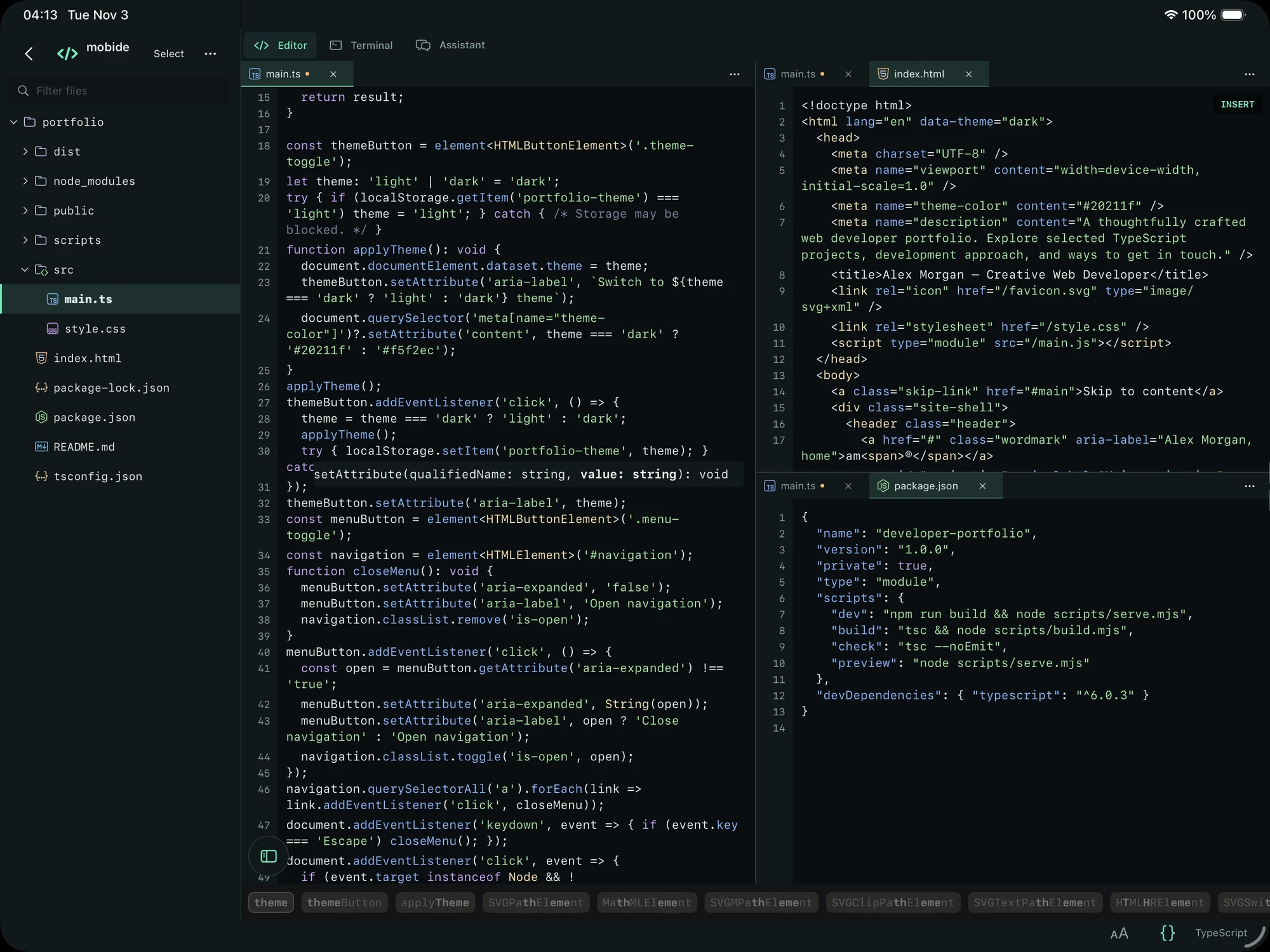
Use familiar motions, Visual modes, registers, and macros. Work with syntax colors, splits, and a keyboard made for code.
Remote IDE · iPhone & iPad · Free
Keep your projects and tools on your computer. Bring a native code editor, real Vim, and an SSH terminal with you.
Your setup, within reach
Connect to your Mac, Windows PC, or Linux computer over SSH. Browse its files, edit your code, and use the tools you already installed.
Use the same Wi-Fi network or a reachable private network such as Tailscale. Your computer runs the commands and language servers. Mobide gives you a native place to work.
Use familiar motions, Visual modes, registers, and macros. Work with syntax colors, splits, and a keyboard made for code.
Open independent SSH terminals. Run your builds, Git, and development commands on the connected computer.
Connect to language servers installed on your computer for autocomplete, diagnostics, navigation, and parameter hints.
Setup steps, troubleshooting, and a direct way to report an issue.